
How to Organize Recipes DigitallyThe Complete Guide
Stop hunting through bookmarked tabs, scattered screenshots, and sticky notes. Learn how to build a digital recipe system that saves you time every single week — and discover the AI-powered features that take meal planning to the next level.
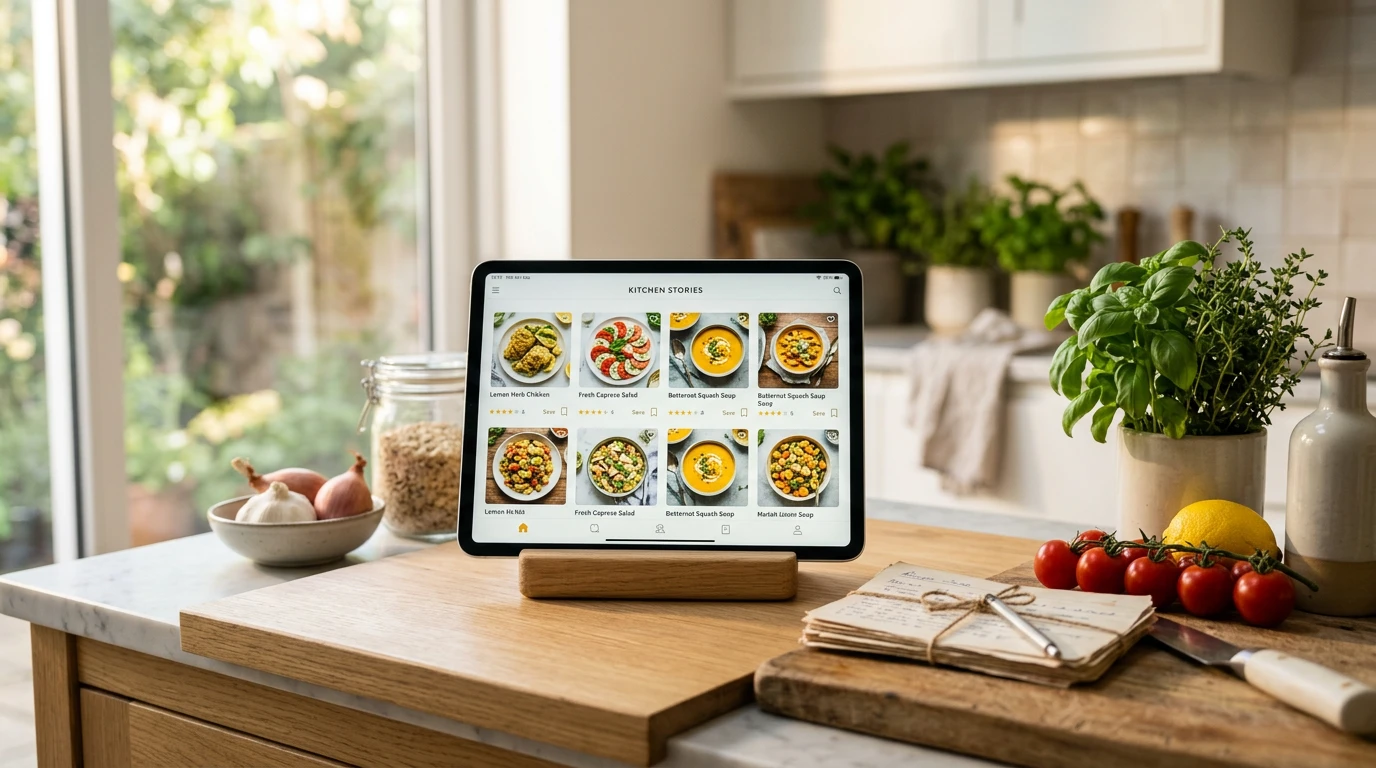
Here is a scenario that will feel familiar: you saw a recipe on Instagram three weeks ago, you saved it somewhere, and now you cannot find it. Meanwhile, your browser has 47 recipe tabs open, your phone camera roll has photos of cookbook pages, and there is a stack of printed recipes rubber-banded somewhere in a kitchen drawer.
You are not alone. 76% of people use smartphones to find recipes, yet the vast majority lack a structured digital system to store what they find. The result is wasted time, forgotten favorites, and the same five dinners on repeat.
This guide covers everything you need to organize recipes digitally — from choosing the right method, to setting up a category structure, to unlocking advanced features like AI recipe generation and automatic macro tracking. By the end, you will have a system that cuts your weekly meal planning time nearly in half.
Why You Should Organize Recipes Digitally
The case for going digital is not just about convenience — it is about measurable time savings. According to a survey by OrganizEat (n=2,568), a structured digital system cuts weekly meal planning and grocery time from 140 minutes down to 73 minutes — nearly half. A well-tagged library also reduces recipe search time by up to 30%, which means less friction between the idea of cooking and actually doing it.
The market reflects this demand. The global recipe app market is growing at a 13.5% CAGR and is projected to reach $2.37 billion by 2033. Millions of home cooks are already making the switch from scattered bookmarks to centralized digital collections.
Beyond time savings, digital organization unlocks things that paper and browser tabs simply cannot do:
- Search and filter instantly — find every keto dinner under 30 minutes with a single tap
- Scale servings automatically — adjust a recipe for 2 or 12 without manual math
- Generate shopping lists — pull grocery lists directly from your weekly meal plan
- Track nutrition — see macros for every recipe without a separate logging app
- Access from anywhere — phone, tablet, or laptop, with or without internet
- Share with family — collaborate on a shared collection so everyone can cook from the same system
Key Takeaway
Switching from paper and bookmarks to a structured digital recipe system saves the average home cook over an hour each week on meal planning and grocery prep alone. Over a year, that is more than 50 hours returned to your schedule.
The 5 Best Methods to Organize Recipes Digitally
Not all digital organization methods are equal. Here is an honest comparison of the five most common approaches — including where each one falls short.
1. Dedicated Recipe Organizer Apps (Best for Serious Cooks)
Purpose-built recipe apps are the gold standard for digital recipe organization. They are designed specifically for collecting, organizing, and cooking from recipes, so features like URL import, tagging, scaling, and meal planning are built in from the start. Recipe Organizer App adds AI recipe generation, macro tracking, and automated grocery lists on top — making it the most complete option available.
Best for: Home cooks who cook regularly and want a system that grows with them. Limitations: Premium features require a subscription (though free tiers exist).
2. Note-Taking Apps — Google Keep, OneNote, Notion
Free and familiar, note-taking apps work in a pinch. You can paste recipe text, organize into notebooks or labels, and access from any device. The problem is that they are generic — no ingredient scaling, no macro tracking, no URL import that parses the actual recipe. You end up manually formatting everything, and searching across 300 pasted recipe notes becomes painful fast.
Best for: Beginners testing the concept of digital organization. Limitations: No cooking-specific features; heavy manual effort.
3. Pinterest and Browser Bookmarking
Pinterest boards are where most people start with digital recipe saving — and where most people get stuck. Visually, it is satisfying. Practically, it falls apart fast. Pins break when websites go down, there is no offline access, you cannot scale ingredients, and the algorithm buries your saved pins under new content. Browser bookmarks have all the same problems without even the visual appeal.
Best for: Inspiration and discovery, not organization. Limitations: No structured data, broken links, no offline access.
4. Google Docs and Spreadsheets
A Google Doc for each recipe or a spreadsheet with rows for each dish gives you full control and zero cost. Many organized home cooks have built impressive systems this way. The drawback is that it requires substantial manual upkeep. Tagging, scaling, and searching are all DIY. Nutrition tracking is essentially impossible without a separate tool. And as the collection grows, the system becomes harder to maintain.
Best for: Tech-savvy users who enjoy building their own systems. Limitations: No automation; everything is manual.
5. AI-Powered Recipe Apps — The Clear Differentiator
AI-powered recipe apps represent a step-change from all of the above. Instead of just storing recipes you find elsewhere, they can generate new recipes based on what you have in your pantry, automatically apply macro tracking to every recipe in your collection, and build personalized meal plans that match your dietary goals.
According to ElectroIQ, 65% of recipe app users prefer personalized recipe suggestions, and 50% want nutrition/macro tracking automatically applied to their saved recipes. AI-powered apps are the only category that delivers both. Try the AI recipe generator to see it in action.
Best for: Anyone who wants their recipe collection to actively help them cook better, not just store data. Limitations: Requires a subscription for full AI features.
| Method | Cost | Macro Tracking | URL Import | AI Generation | Offline Access |
|---|---|---|---|---|---|
| AI Recipe App | Free / $4.99/mo | Yes | Yes | Yes | Yes |
| Dedicated Recipe App | Free / $3–10/mo | Some | Yes | No | Some |
| Note-Taking Apps | Free | No | No | No | Yes |
| Pinterest / Bookmarks | Free | No | No | No | No |
| Google Docs / Sheets | Free | No | No | No | Limited |
How to Set Up Your Digital Recipe System (Step-by-Step)
The biggest mistake people make when organizing recipes digitally is jumping straight to importing everything they can find. Start with structure first, then fill it in. Here is a repeatable six-step process.
Step 1 — Audit Your Existing Recipe Sources
Before importing anything, take stock of where your recipes currently live: browser bookmarks, Pinterest boards, screenshot folders, recipe binders, printed pages, cookbook notes, social media saves. Spend 15 minutes listing every source. This prevents you from building a digital library that misses half of what you actually want to keep.
Step 2 — Choose Your Platform
Based on the comparison above, choose the method that matches your cooking frequency and goals. If you cook four or more times a week and care about nutrition, an AI-powered dedicated app is worth the investment. If you are just starting out, try a free tier first before committing to a paid plan.
Step 3 — Create Your Category Structure
Categories are the backbone of a useful recipe library. A structure that mirrors how you actually think about meals will serve you far better than an alphabetical list. Start with these core categories and add subcategories as your collection grows:
- Breakfast
- Lunch
- Dinner
- Snacks
- Desserts
- Meal Prep / Batch Cooking
- Diet-specific collections (Keto, Vegetarian, High-Protein, etc.)
- Occasion (Holiday, Date Night, Game Day)
For example, in the Recipe Organizer App recipe library, you will find curated categories like dinner, breakfast, keto, and snacks — each populated with recipes that are easy to add to your personal collection. Try Honey Garlic Sesame Chicken as your first dinner save, or Protein-Packed Egg Muffins for a high-protein breakfast staple.
Step 4 — Import and Digitize Your Existing Recipes
Work through your audit list systematically. Use URL import for web recipes, photo OCR for printed or handwritten cards, and manual entry for anything that needs precise formatting. Do not try to import everything at once — start with the 20–30 recipes you actually cook regularly, then add from there. A small, complete collection beats a large, messy one every time.
Step 5 — Tag Consistently from Day One
Tags are what make a recipe library searchable. Inconsistent tagging (sometimes "chicken," sometimes "poultry," sometimes nothing) defeats the purpose. Agree on a standard tag vocabulary and stick to it. Useful tag dimensions include:
- Main protein: chicken, beef, fish, tofu, eggs
- Dietary: keto, gluten-free, vegetarian, vegan, dairy-free
- Time: under-30-min, under-15-min, weekend-project
- Method: air-fryer, slow-cooker, one-pan, no-cook
- Occasion: meal-prep, date-night, kids-friendly
Step 6 — Connect to Meal Planning
The payoff of a well-organized recipe library is how smoothly it feeds into weekly meal planning. Once your collection is tagged and categorized, building a weekly plan is a matter of filtering — show me five weeknight dinners under 40 minutes, add them to the planner, generate a grocery list. This is where dedicated apps dramatically outperform workarounds like spreadsheets or notes.
Pro Tip
When building your category structure, think in terms of "how will I search for this recipe on a Tuesday at 6pm?" Not category names you think sound logical — category names that reflect how you actually cook. If you never think "I want a French dish," do not create a French cuisine category. If you often think "I need something I can prep on Sunday," create a Meal Prep category.
Saving Recipes from Anywhere — Websites, Social Media, and Handwritten Cards
One of the most common friction points in building a digital recipe collection is the capture step — getting a recipe from wherever you found it into your organized system. Here is how to handle every major source.
Importing from Websites and Recipe Blogs
The URL import method is the fastest way to save web recipes. Paste a recipe URL into your app, and the import tool uses recipe schema markup (a standard HTML format most recipe sites use) to automatically extract the title, ingredients, instructions, and serving size. Review the parsed result, correct any errors, assign a category and tags, and save. The whole process takes under 60 seconds.
Many dedicated apps also offer a browser extension that adds a save button directly to recipe pages. This is the most frictionless option if you browse food blogs regularly — you never have to leave the page.
Saving Recipes from Instagram, TikTok, and YouTube
Social media recipe saving is a gap that most organization guides miss. The challenge is that recipes in video or reel format are not structured data — they are visual content. The practical approaches:
- Copy the post URL: Most recipe apps let you paste an Instagram or TikTok post URL. If the creator included the recipe in their caption, the import tool can extract it. This works best when the creator structures their caption as an actual recipe.
- Use the native Save feature, then transfer: Instagram and TikTok both let you save posts to collections. Treat these as a temporary inbox — periodically review your social media saves and manually add the best ones to your recipe app.
- Take a screenshot + OCR: Screenshot the recipe text from a video pause or caption, then use your app's photo import feature to OCR the text into a structured recipe entry.
Digitizing Handwritten Family Recipes
Family recipe cards are often the most valuable and most fragile part of a recipe collection. Digitizing them is straightforward with modern OCR tools:
- Photograph the card in good, even lighting — avoid shadows across the text
- Import the photo into your recipe app's OCR import feature
- Review the extracted text carefully — handwritten OCR is less accurate than print, so check ingredient quantities especially
- Add the original photo to the recipe entry as an attachment for sentimental value
- Tag with "family-recipe" or "heritage" so you can find them together
Pro Tip — Back Up Your Family Recipes
Once digitized, export your family recipe collection as a PDF or print it in a recipe binder as a backup. Digital systems are durable, but a physical copy of heirloom recipes gives extra peace of mind — especially for recipes that only one person in the family knows by heart.
Advanced Features That Change How You Cook
Once your recipe library is organized, the real power comes from advanced features that actively assist your cooking decisions. These are the capabilities that separate a purpose-built recipe management system from a glorified bookmark folder.
AI Recipe Generation from Pantry Ingredients
The most impactful AI feature in modern recipe apps is the ability to generate recipes based on what you currently have. You enter the ingredients in your pantry, and the AI returns complete, cookable recipes — with title, ingredients, instructions, and macros — tailored to those inputs. No more staring into the fridge wondering what to make.
This feature is especially useful for reducing food waste. If you have half a block of tofu, some zucchini, and a can of coconut milk, the AI will suggest something that actually uses those ingredients rather than something that requires a full grocery trip. Try the Recipe Generator to see this in action — it is one of the most satisfying features once you start using it regularly. For inspiration on what a well-structured AI recipe looks like, check out Keto Cauliflower Pizza or Buffalo Cauliflower Bites — both AI-generated recipes with full nutrition data.
Automatic Nutritional and Macro Tracking
50% of recipe app users want nutrition and macro tracking automatically applied to their saved recipes. Manual macro logging is one of the most tedious parts of maintaining any health-conscious diet. A recipe organizer with built-in macro tracking solves this by linking every ingredient to a nutrition database at import time — so the moment you save a recipe, you can see protein, carbohydrates, fat, and calories per serving.
Adjust serving size and the macros recalculate. Swap an ingredient and see the impact immediately. Plan a full week of meals and see aggregate nutrition totals. This kind of integrated tracking is not possible with bookmarks, notes, or Pinterest — it requires a purpose-built system with a nutrition database underneath.
Automated Grocery List Generation
Select five recipes for the week, hit generate, and your app produces a consolidated shopping list with quantities aggregated across all recipes. Need four eggs for Monday's breakfast and two for Thursday's dinner? The list shows six eggs. Items are grouped by store section — produce, dairy, meat, pantry — so the trip is efficient.
Advanced apps also flag items you likely have in your pantry already, suggest budget-friendly substitutions, and let you check off items as you shop. This single feature is worth the cost of a premium subscription for most households.
Recipe Scaling
Cooking for one instead of four? Having twelve people over instead of four? Recipe scaling automatically adjusts every ingredient quantity based on the serving count you set. This sounds simple but saves significant frustration when doing mental math mid-prep on a Sunday afternoon. Good scaling tools handle unit conversions too — scaling up three-quarters of a cup does not just output "1.5 × 0.75 cups," it outputs "1 cup 2 tablespoons."
Key Takeaway
The advanced features — AI generation, macro tracking, grocery lists, and scaling — are not luxury additions. They are the features that make the difference between a recipe library you reference once a month and one that becomes a core part of how you plan and cook every week.
Recipes to Start Your Digital Collection
These five recipes cover every meal of the day and showcase what a well-organized digital recipe library looks like in practice.
Ready to Organize Your Recipes Digitally?
Recipe Organizer App gives you URL import, AI recipe generation, automatic macro tracking, and grocery list generation — all in one place. Free to start.
Start Organizing FreeNo credit card required
Tips for Maintaining Your Digital Recipe Collection
Building a digital recipe library is the easy part. Keeping it useful over time requires a small amount of ongoing maintenance. Without it, even a well-organized collection devolves into digital clutter — just a fancier version of the bookmark folder you started with.
Do a Quarterly Audit
Four times a year, spend 20 minutes reviewing your recipe library. Ask these questions about each recipe: Have I cooked this in the past six months? Is this a recipe I realistically plan to cook? Does it fit how I eat now? If the answer to all three is no, archive or delete it. A collection of 80 recipes you love is more useful than 400 you forget about.
Remove Duplicates and Consolidate Variations
It is easy to save the same recipe from five different sources over the years. Use the quarterly audit to identify and merge duplicates. If you have three versions of a chocolate chip cookie recipe, pick the one you actually use and delete the others — or create one master version with your preferred modifications already baked in.
Archive Seasonal Recipes Rather Than Delete Them
Holiday and seasonal recipes (Thanksgiving stuffing, Christmas cookies, summer grill recipes) only get used a few times a year. Instead of keeping them in your main browsable library year-round, archive them in a seasonal folder. Bring them back into active view a few weeks before the relevant season begins. This keeps your everyday library focused on what is actually useful right now.
Star Your True Favorites
Most recipe apps allow starring or marking favorites. Use this feature aggressively — but only for recipes you have actually cooked and loved. Your starred list should be a shortcut to guaranteed crowd-pleasers, not a wishlist. Aim for 15–25 starred recipes that cover your standard weekly cooking needs.
Add Personal Notes and Cook Logs
After cooking a recipe, add a quick note with any modifications you made, how the family rated it, and anything you would do differently next time. "Added an extra clove of garlic — much better. Kids gave it 5 stars. Next time double the sauce." This transforms your recipe library from a reference document into a personalized cooking log that gets more valuable every time you use it.
Pro Tip — The 10-Minute Weekly Reset
Every Sunday, spend 10 minutes on your recipe app: check off anything you cooked last week, add any notes, save one or two recipes you want to try this week, and glance at your meal plan for the coming days. This tiny weekly habit compounds into a well-maintained, genuinely useful recipe library within a few months.
Frequently Asked Questions
What is the best app to organize recipes digitally?
The best app depends on your cooking habits. For home cooks who want AI-powered features, macro tracking, and automated grocery lists, Recipe Organizer App offers the most complete feature set. It combines recipe capture, meal planning, nutritional analysis, and AI recipe generation in one place. For casual users, note-taking apps like OneNote work but lack cooking-specific features.
How do I save recipes from websites and social media into one place?
Dedicated recipe apps let you import from websites by pasting the URL — the tool automatically extracts the title, ingredients, and instructions. For social media recipes from Instagram or TikTok, copy the post URL and paste it into your app, or use the share sheet on mobile to send it directly to your recipe collection. Most apps also offer a browser extension that adds a one-click save button to any recipe page.
Can I use a recipe organizer app to track macros and nutrition?
Yes. Modern recipe organizer apps like Recipe Organizer App automatically calculate macros — protein, carbohydrates, and fat — for every saved recipe by linking each ingredient to a nutrition database. When you save or import a recipe, the app parses the ingredient list and displays per-serving macro breakdowns. Adjust serving sizes and see macros recalculate in real time — no separate nutrition logging app required.
How do I digitize handwritten family recipes?
Photograph the recipe card in good, even lighting with no shadows across the text. Import the photo into your recipe app's OCR import feature to extract the text automatically. Review the parsed ingredients carefully — handwritten OCR is less accurate than printed text, so double-check quantities. Save the original photo as an attachment for sentimental value, and tag the entry with "family-recipe" so you can find all heritage recipes together.
How many recipes should I keep in my digital collection?
Quality beats quantity. A well-organized collection of 50–150 recipes you actually cook is more useful than 500 unorganized saves you never return to. Aim for complete coverage of your weekly meals: 5–10 breakfast options, 10–20 dinners, a handful of snacks and desserts, and several diet-specific recipes matching your lifestyle. Do a quarterly audit to remove recipes you have never made and archive seasonal ones.
Conclusion: Build a Digital Recipe System That Works for You
Organizing recipes digitally is not complicated — but it does require a deliberate system. The key takeaways from this guide:
- A structured digital system saves the average home cook over an hour per week on meal planning and grocery prep
- Dedicated recipe apps outperform notes, spreadsheets, and bookmarks for every use case that matters
- AI-powered apps add recipe generation, auto macro tracking, and smart grocery lists — features that no manual system can replicate
- Start with structure first (categories and tags) before importing everything
- Maintain it quarterly — a small amount of ongoing upkeep keeps your library genuinely useful
The recipe app market is growing fast because home cooks are discovering what a well-organized digital system actually feels like to use. Once you have one, going back to scattered bookmarks and sticky notes is not an option you will want to consider.
Start Your Digital Recipe Collection Today
Join thousands of home cooks who use Recipe Organizer App to save recipes from anywhere, track macros automatically, plan meals in minutes, and generate grocery lists effortlessly. Free to start — no credit card needed.
Free tier available • Works on any device • Import unlimited recipes