
Best Recipe Organizer App for AI-Powered Meal Planning and Macro Tracking

The Recipe Organizer App is a smart, AI-driven digital cookbook that makes meal planning and macro tracking faster and simpler so you can eat better with less hassle. This guide walks through how AI recipe generation, a hands-on chat assistant, and built-in macro analysis work together to organize recipes and plan meals with nutrition in mind.
Many home cooks and health-focused people spend time converting recipes into balanced meals, tallying nutrition by hand, or building shopping lists from scratch. The answer is a nutrition-first workflow that captures recipes, analyzes ingredients at the item level, and automatically generates macro-balanced meal plans. Below, you'll find what makes an effective AI recipe generator, how smarter planning cuts waste and cost, why macro tracking belongs inside your cookbook, how to capture and adapt recipes quickly, what pricing looks like, and how features tie back to nutrition science.
What Makes the Recipe Organizer App the Best AI Recipe Generator?
A great AI recipe generator combines natural-language understanding, nutrition-aware logic, and flexible substitution rules to create practical, personalized recipes. The system reads ingredient lists and instructions using NLP, links each item to a nutrition database, and applies macro-balancing rules so recipes match your targets while keeping flavor and technique intact. That means less manual editing and recipes that are both cookable and aligned with dietary goals. You get faster customization, instant nutrition feedback, and reliable results that slot straight into meal plans and shopping workflows.
This section breaks down the core AI capabilities that set a modern recipe generator apart and shows how each feature supports real cooking tasks. Knowing these components makes clear why nutrition-aware AI is more valuable than a simple suggestion engine and prepares you for the practical examples that follow.
How Does AI Enhance Recipe Customization and Nutrition Analysis?
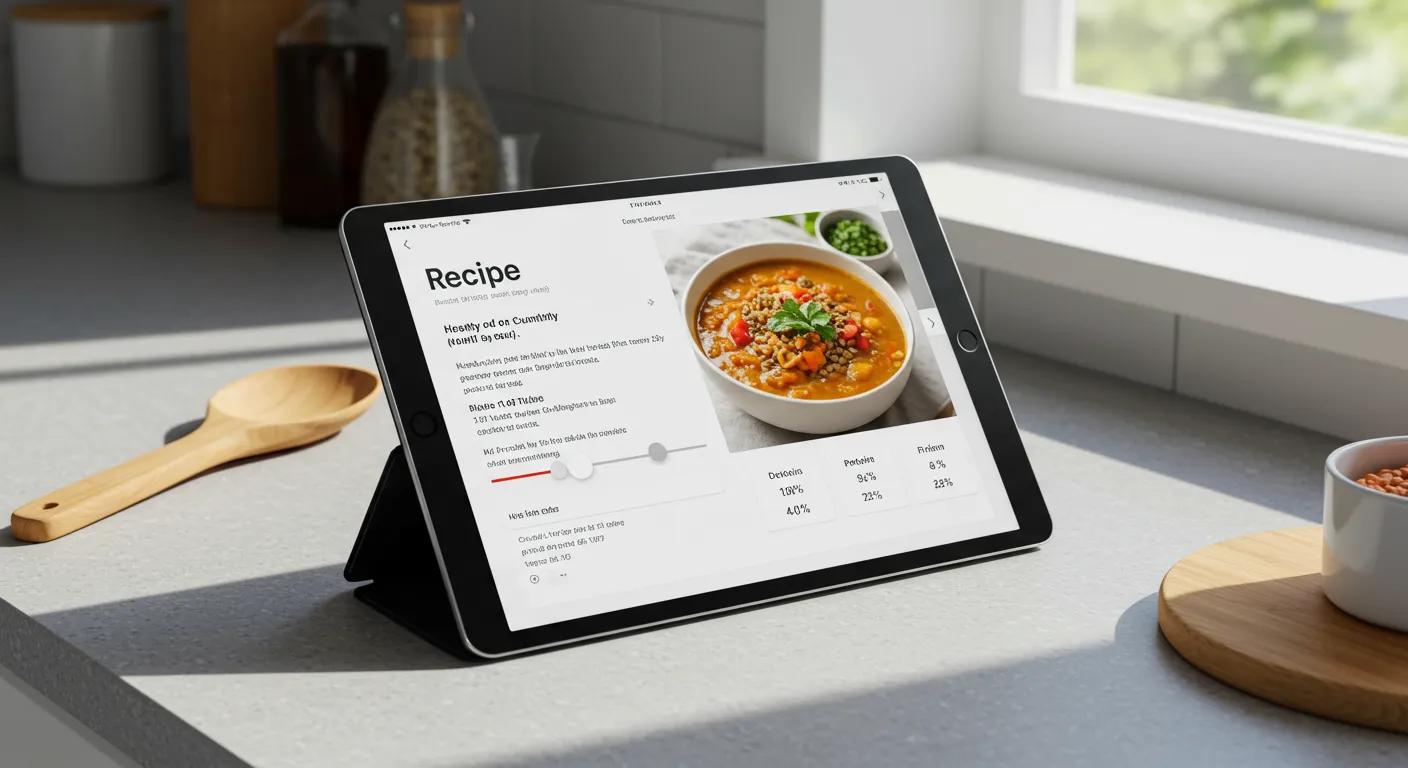
AI improves recipe customization by turning loose recipe text into normalized ingredient lists, estimating portions, and matching each ingredient to nutrition data to calculate macronutrients per recipe. The typical workflow has three steps: parse and standardize the recipe, map ingredients to a nutrition database, then recalculate per-serving macros after any edit. That lets you swap ingredients and instantly see how protein, carbs, and fats change—no manual math required. For example, swapping 4 ounces of chicken for a tofu portion immediately updates protein and fat totals so you can tweak portions or add complements to keep the meal balanced.
Automatic recalculation removes friction when adapting recipes for diet preferences or restrictions, and it feeds directly into smarter planning and automated shopping lists described next.
Which Interactive AI Chat Features Improve Cooking and Meal Planning?
The interactive AI chat gives you natural-language access to recipe edits, substitution ideas, and step-by-step cooking help—with instant nutrition impact. You can ask things like "make this higher in protein and lower in fat," "suggest a gluten-free swap for the breadcrumbs," or "scale this dinner for four," and the chat replies with concrete swaps, adjusted quantities, and updated macro totals. It also offers procedural tips—timing, temperatures, plating—so you can move from planning to cooking without switching tools. This conversational layer reduces uncertainty and makes nutrition-smart changes approachable during real meal prep.
By letting you make on-the-fly edits and seeing macro recalculations immediately, chat-driven workflows tie customization directly to planning and shopping, improving efficiency and helping you stick to your diet plan.
How Does the Recipe Organizer App Simplify Meal Planning and Grocery Shopping?

Smart meal planning converts chosen recipes and nutrition targets into a weekly plan that maximizes ingredient reuse and shopping efficiency. The planner merges common ingredients across meals, scales quantities by servings, and flags missing pantry items so you avoid overbuying. Features like grouping similar items, converting units, and suggesting budget-friendly swaps cut trips and reduce food waste. This automation frees you from manual list-making and delivers measurable time and cost savings compared with ad-hoc shopping.
Below is a step-by-step overview of how meal planning and shopping list generation usually work in a nutrition-aware app to keep the process repeatable and efficient.
- Select or generate a weekly set of recipes: The planner matches choices to your macro targets and dietary preferences.
- Scale servings and consolidate ingredients: Quantities are aggregated across meals into a single shopping list.
- Optimize quantities and suggest substitutions: The app recommends package sizes and lower-cost or in-season alternatives.
- Export or present a categorized shopping list: Items are grouped by store section to shorten aisle time.
| Feature | Time Saved (per week) | Money Saved (per month) |
|---|---|---|
| Consolidated shopping list | 30–60 minutes | $10–$30 |
| Serving scaling and quantity aggregation | 15–30 minutes | $5–$15 |
| Budget-friendly substitutions | 10–20 minutes | $10–$40 |
| Ingredient reuse planning | 20–40 minutes | $5–$25 |
These numbers show how small automation steps add up to measurable weekly and monthly savings. In real use, the Recipe Organizer App creates meal plans from saved or AI-generated recipes, then builds an optimized shopping list that consolidates ingredients and suggests budget swaps. The app offers a free tier and a premium subscription at $4.99/month so you can try basic planning features before upgrading for advanced analytics and unlimited storage.
What Are the Benefits of Smart Meal Planning for Food Waste Reduction?
Smart meal planning cuts food waste by scheduling ingredient reuse across breakfasts, lunches, and dinners and by matching purchase quantities to planned portions. The planner calls out cross-meal ingredients—like a bunch of herbs or a bag of greens—and recommends recipes that use perishables before they spoil, which reduces single-use waste. By converting yields into precise shopping amounts and suggesting freezing or repurposing ideas, planning tools help households avoid excess buys and ensure food gets eaten. In practice, users report fewer impulse purchases and more intentional shopping, which shrinks waste and stretches grocery budgets.
How Does Automated Shopping List Generation Save Time and Money?
Automated shopping lists save time by aggregating ingredients, grouping items by store section, and recommending package sizes that fit planned consumption—streamlining your trip. They save money with budget-friendly substitutions, seasonal suggestions, and by preventing duplicate purchases caused by manual list errors. The list generator can also spot pantry items that already cover planned ingredients, avoiding unnecessary buys and reducing spoilage risk. Together, these features lower the friction of grocery shopping and amplify the benefits of deliberate meal planning.
This shopping efficiency feeds back into consistent meal-planning habits, making it easier to follow macro-balanced plans and hit nutrition goals over time.
| Feature | Mechanism | Operational Impact |
|---|---|---|
| Ingredient consolidation | Aggregates identical items across recipes | Fewer purchases and reduced waste |
| Serving scaling | Adjusts quantities to match household size | Correct portioning and less overbuying |
| Budget swaps | Suggests lower-cost ingredients | Lower grocery spend without sacrificing nutrition |
Why Is Macro Tracking Essential in a Digital Cookbook App?
Macro tracking ties ingredient-level nutrition to meal and daily targets, so you can build meals that meet protein, carbohydrate, and fat goals with confidence. This matters because macronutrient balance affects satiety, energy, and body-composition outcomes, and having tracking inside your recipe workflow removes the need for separate logging tools. By showing per-serving macro breakdowns and letting you adjust goals, the app turns recipes into actionable nutrition plans—not just static instructions. That makes it easy to swap ingredients, scale portions, and create consistent meal patterns that support your objectives.
What Are Macronutrients and How Does the App Track Them?
Macronutrients—protein, carbohydrate, and fat—supply energy and the building blocks your body needs. Accurate tracking maps each ingredient to a nutrition database and sums values by recipe and serving. The calculation is straightforward: measure ingredient amounts, look up per-gram macro values, add totals for the full recipe, then divide by servings to display per-serving macros. The system also handles edge cases—unspecified portions or custom items—by prompting for clarification or using sensible defaults. Clear per-serving macro displays let you tweak portions or swaps to hit targets without doing the math yourself.
| Macronutrient | Role | Typical Range per Meal |
|---|---|---|
| Protein | Muscle repair, satiety, thermogenesis | 20–40 g |
| Carbohydrate | Energy, glycogen replenishment | 20–80 g |
| Fat | Hormone production, sustained energy | 10–25 g |
How Can Macro Tracking Help Achieve Personalized Health Goals?
Macro tracking turns personal goals—like muscle gain, fat loss, or maintenance—into actionable meal suggestions by assigning daily macro budgets and recommending recipes that fit those budgets. For example, a high-protein plan prioritizes recipes with stronger per-serving protein while keeping carbs and fats in moderation; the app can then suggest portion tweaks or targeted swaps to raise protein without adding excess calories. Regular feedback—seeing macro adherence across days—supports behavior change and helps you refine targets over time. Linking goals, recipe selection, and tracking turns meal planning into a tool for measurable progress.
Ready to Transform Your Meal Planning?
Start using AI-powered recipe organization and macro tracking today. Build healthier meals with less effort.
Try Recipe Organizer App Free ➜Free to use • No credit card required • Works on any device
How Can Users Capture and Organize Recipes Efficiently with the App?
Efficient recipe capture turns cookbooks, websites, and handwritten notes into structured entries you can search, tag, and analyze for nutrition and meal planning. Common capture options include OCR from photos, URL import that scrapes recipe pages, and guided manual entry. Once imported, recipes can be tagged, grouped into themed folders, and filtered by ingredient or nutrition attributes to quickly find options that fit your needs. A tidy repository reduces rework, improves discoverability, and makes building meal plans from favorites fast and painless.
What Methods Does the App Use to Import Recipes from Photos, URLs, and Text?
Photo import uses OCR to pull ingredient lines and instructions from a photographed page or screen, then normalizes identified items into structured fields the nutrition engine can read. URL import scrapes common recipe schema or parses page content to populate title, ingredients, and steps, with a quick review to fix any ambiguities. Manual entry offers guided fields so you can paste or type recipes into a consistent format, with prompts to clarify quantities or units. Each method includes validation—preview parsed ingredients and confirm servings—so macro calculations stay accurate.
- Photo OCR Import: Best for printed recipes or cookbook pages when you want to digitize quickly.
- URL Import: Best for web recipes to capture structured content with minimal editing.
- Manual Entry: Best when copying from notes or when you need precise standardization.
How Does Recipe Customization Support Flexible Cooking Preferences?
Customization tools let you scale servings, swap ingredients, save variations, and apply dietary filters—like vegetarian or low-sodium—while keeping nutrition totals accurate. When you swap an ingredient—say a plant-based protein for meat or cut added sugar—the system recalculates macros and suggests compensating changes if needed. Versioning lets you save multiple recipe variants (for example, original, low-carb, and family-sized) so the right version lands in meal plans without rebuilding it each time. These features keep recipes adaptable as tastes, restrictions, or goals change.
What Are the Pricing Options and Benefits of the Recipe Organizer App?
The Recipe Organizer App offers tiered plans so you can pick the features that match your needs, balancing free access with richer tools for power users. The free tier includes basic recipe capture, organization, and simple meal planning for casual users. A premium subscription at $4.99/month unlocks advanced analytics, unlimited recipe storage, and priority features like interactive AI chat for deeper customization. This structure lets you test the basics before upgrading to tools that support heavier planning or detailed nutrition work.
| Tier | Price | Key Benefits |
|---|---|---|
| Free | $0 | Basic recipe capture, tagging, and simple meal planning |
| Premium | $4.99/month | Unlimited recipes, advanced macro analysis, interactive AI chat |
How Does the Recipe Organizer App Support Healthy Eating and Nutrition Science?
The app brings nutrition science into everyday cooking by turning evidence-based macronutrient principles into practical recipe composition and meal suggestions. It uses nutrition databases to quantify macros and applies straightforward guidelines—enough protein for satiety, balanced carbs for energy, healthy fats for fullness—to recommend recipe tweaks. By showing clear per-meal macro targets and the immediate effect of swaps or portion changes, the app converts abstract dietary advice into actionable cooking steps. That bridge from science to practice helps form sustainable habits and steady progress toward health goals.
What Are the Science-Backed Principles Behind Macro-Balanced Meals?
Macro-balanced meals spread protein, carbohydrates, and fats to support fullness, steady energy, and metabolic health. Research shows prioritizing protein at meals helps preserve muscle and increases satiety, which often reduces overall calorie intake. Carbohydrates timed around activity support performance and recovery, while moderate healthy fats aid hormone function and sustained fullness. Practical tips include centering a meal on a protein source, adding fiber-rich carbs, and including portion-controlled healthy fats for flavor and staying power. These principles are built into recipe suggestions and portioning rules inside a nutrition-aware planner.
Research Insight: AI for Personalized Nutrition
This review surveys methods for tailoring recipe recommendations to user preferences, dietary limits, and health objectives. AI and machine-learning approaches can analyze large recipe and nutrition datasets to surface personalized suggestions, helping users make healthier food choices and reach wellness goals.
Source: Artificial intelligence and machine learning technologies for personalized nutrition: a review, LP Gymnopoulos, 2024
How Does AI Nutrition Insight Promote Lasting Health and Wellness?
AI nutrition insight supports lasting behavior change by personalizing recommendations, giving immediate feedback, and creating habit loops that reward steady progress. By suggesting recipes that match daily macro budgets, offering substitutions that preserve balance, and tracking adherence over time, the system encourages gradual, sustainable improvements rather than drastic short-term diets. The AI also highlights patterns—like consistently low protein at dinner—that you can correct for better outcomes, and it helps build routines by saving versions and automating recurring plans. This ongoing personalization turns nutrition data into practical guidance that supports long-term wellness.
Research Insight: AI-Driven Nutrition Applications
AI-powered personalized nutrition platforms are reshaping how people manage diet and wellness by offering customized guidance, meal planning support, and tailored recipe suggestions. These tools help users make informed choices about intake and improve overall health management.
Source: Ai-driven personalized nutrition apps and platforms for enhanced diet and wellness, M Padhiary, 2025
Frequently Asked Questions
1. How does the Recipe Organizer App ensure nutritional accuracy in recipes?
The app ensures accuracy by using a comprehensive nutrition database that links each ingredient to macronutrient values. When you add or edit a recipe, the system parses and normalizes ingredient quantities and recalculates nutrition in real time to show precise per-serving macro breakdowns. That workflow—parsing, standardizing amounts, and summing nutrition—helps you make informed food choices and stick to your goals.
2. Can the app accommodate specific dietary restrictions or preferences?
Yes. The app supports filters for diets like carnivore, keto, vegetarian, vegan, gluten-free, or low-carb and lets you substitute ingredients while keeping the overall nutrition balanced. Those options make it easy to enjoy a variety of meals without compromising dietary requirements.
3. How does the app help users reduce food waste?
The app reduces waste by encouraging meal plans that reuse ingredients across multiple meals and by matching purchase quantities to planned portions. It suggests recipes that use up perishables, offers freezing or repurposing ideas, and generates precise shopping lists so you avoid buying what you don't need. These habits lead to fewer impulse buys and less spoilage.
4. What features support users in tracking their dietary progress?
The app offers daily macro tracking so you can monitor protein, carbohydrates, and fats against personalized targets. It provides visual feedback on adherence, highlights patterns to correct, and offers reminders and progress reports to keep you accountable and on track over time.
5. Is there a community or support system for users of the app?
Yes. The app fosters a community where users can share recipes, tips, and experiences. It may include forums or social features for connecting with others who share similar goals, and customer support is available for technical or account questions. The community element boosts engagement and provides peer support and ideas.
6. How does the app integrate with other health and fitness tools?
The app can connect with fitness trackers and health apps to combine dietary and activity data. Syncing macro tracking with exercise lets you align nutrition with training needs, giving a fuller picture of health and helping you make better-informed diet and lifestyle choices.
7. What are the benefits of using the app for meal planning compared to traditional methods?
Compared with traditional planning, the app automates recipe selection, ingredient consolidation, and shopping list creation—saving time and effort. It offers real-time nutrition analysis for quick adjustments and suggests budget-friendly alternatives to reduce costs and waste, making meal planning more efficient and sustainable.
Conclusion
The Recipe Organizer App brings AI-powered recipe generation and integrated macro tracking to everyday meal planning so you can eat healthier and save time. With tools that simplify recipe customization and streamline grocery shopping, the app helps you reach nutrition goals while cutting waste and cost. Choose the subscription tier that fits your needs to unlock advanced features for deeper analysis and unlimited organization.
Ready to plan smarter meals and eat better? Explore the app and start your journey today.
Start Your Healthier Eating Journey
Join thousands using AI-powered meal planning to save time, reduce waste, and hit nutrition goals.
Get Started Free